
 106
106  585
585  0
0 

What is DiscordTools?
DTools AI is a bot that allows you to transfer most chat moderation tasks to it. You don't need to configure anything, just enable the auto-moderation filter and the bot will start monitoring the server on its own.
Bot: DTools#6555
Bot ID: 867466728556068894
The bot's special feature is that it allows you to moderate unwanted content, profanity, toxicity, insults, and more without the intervention of moderators (AI). The bot effectively deals with attempts to bypass filters. For example, by checking different characters in the text or checking for substitution with other characters.
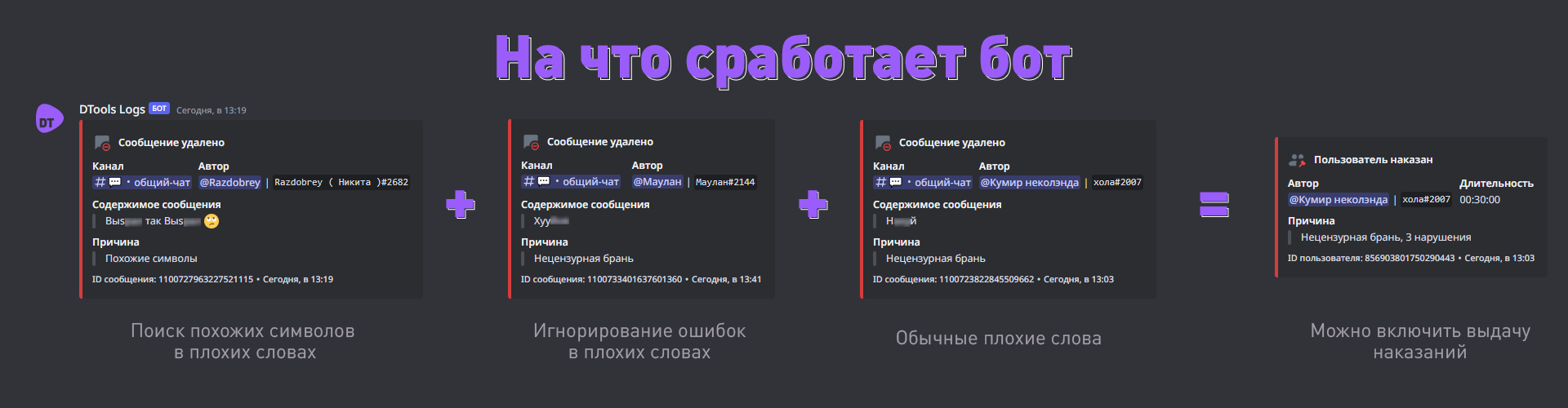
Using the bot It's very simple.
There are two configuration options: via the bot and on the website discordtools.cc. Only basic settings can be configured in the bot for it to work.
Let's consider the bot option
- Add the bot to the server;
- Enable the auto-moderation module with the command
/automod filter enable true; - Set the log channel —
/automod log channel <channel>; - Set the bot's language —
/lang set <language>. The command /lang will show which language is currently in use; - All filters are enabled automatically. If you do not need a particular filter, such as Zalgo, you can disable it with the command /automod zalgo enable false. The settings for each filter, permissions, exception words, and other options can currently be configured via the support server.
View a list of all available commands — /help
Filters
Bad word filter — the main filter that removes most unwanted content. It removes profanity, insults, toxicity, and so on. Don't be alarmed that with such a large list it will flag everything as ‘Profanity’; I just couldn't think of another way to describe it.
Similar characters filter — removes all messages where letters can be replaced with English ones, for example. The filter will not necessarily work with profanity, it takes into account similar behaviour in general, because it is not used in everyday communication. If you disable it, users will be able to use bad words with character replacements.
Text overlay filter — this filter triggers on any text overlay on the original text. You've probably seen when there are regular letters with lines above them or letters that have something around them. That's it. If you disable it, users will be able to use bad words with similar symbols.
Caps filter — removes messages with a large number of uppercase characters. By default, it triggers after 3 characters so that abbreviations can be written.
Each of these filters has a penalty. It is enabled by default.






Comments